






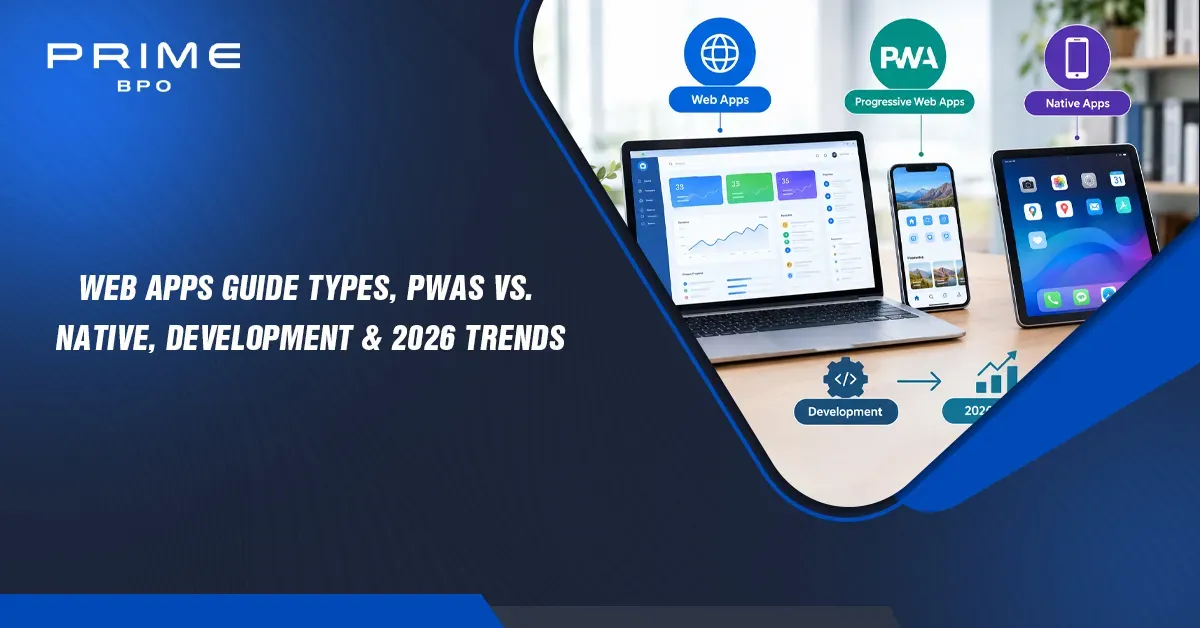
In September 2026, mobile devices produced 58.99% of global web traffic and desktops 39.26%, according to StatCounter, so the software people use most must work across both.
Quick answer: Web apps are interactive software programs that run in a web browser, with logic and data handled on remote servers, so users need no download. Unlike a static website, a web app lets users log in, create, and change data; unlike a native app, one codebase runs on every device.
What Are Web Apps?
A web app, or web application, is software that runs in a browser and exchanges data with a remote server in real time. Users reach it through a URL instead of installing it, and the app responds to what they do: signing in, saving work, searching records, or making a purchase.
Web app vs. website
The difference is interaction. A website mainly displays content; a web app lets users create, change, and store their own data.
|
Feature |
Static website |
Web app |
|
Main purpose |
Present information |
Let users complete tasks |
|
Content |
Mostly fixed pages |
Generated from user data in real time |
|
User accounts |
Rare |
Standard, with authentication |
|
Data persistence |
None for visitors |
Saves user input to a database |
|
Examples |
Company brochure site, blog |
Gmail, online banking, Trello |
Core architectural layers
Every web app splits into three layers. The front end runs in the browser and draws the interface; the back end runs on servers and enforces business rules; the database stores the data both depend on.
Web app architecture · 3 layers
The browser and server talk through APIs, usually over HTTPS. That split is what lets one back end serve a web app, a PWA, and even a native app at the same time.

Types of Web Applications with Examples
Web apps are usually grouped by how they load and render pages: single-page apps, multi-page apps, progressive web apps, and enterprise SaaS portals. Most large products mix approaches, but the dominant pattern drives performance, SEO, and development cost.
Single-page applications (SPAs)
An SPA loads one HTML shell, then updates content with JavaScript as users move around, so screens change without full page reloads. Gmail and Trello work this way. SPAs feel fast and fluid but need extra work, such as server-side rendering, to be fully indexable by search engines.
Multi-page applications (MPAs)
An MPA serves a new page from the server for each major view. Large catalogs such as Amazon and eBay use this model because every product and category gets its own crawlable URL. Modern frameworks like Next.js and Nuxt blur the line by rendering pages on the server and then hydrating them into interactive apps.
Progressive web apps (PWAs)
A PWA is a web app that can be installed to a home screen, work offline, and send push notifications, using a service worker and a web app manifest. Twitter Lite is a well-documented example: web.dev reports a 65% increase in pages per session, a 75% increase in Tweets sent, and a 20% drop in bounce rate after launch. Starbucks and Spotify also offer PWA experiences.
Enterprise SaaS portals
SaaS platforms such as Salesforce and Notion are large, cloud-based web apps with user roles, integrations, and admin controls. They usually combine SPA-style interfaces with heavy back-end services and APIs, as with modern cloud-based CRM software.
|
Type |
How pages load |
SEO friendliness |
Typical examples |
|
SPA |
One shell, content swapped by JavaScript |
Needs server rendering or pre-rendering |
Gmail, Trello |
|
MPA |
New page from the server per view |
Strong by default |
Amazon, eBay |
|
PWA |
SPA or MPA plus service worker and manifest |
Strong if server-rendered |
Twitter Lite, Starbucks |
|
SaaS portal |
Mostly SPA with many APIs |
Usually behind login |
Salesforce, Notion |
Get Free Quotes
Customized Options Await
Web Apps vs. Native Mobile Apps vs. Progressive Web Apps (PWAs)
Web apps run in the browser from one HTML, CSS, and JavaScript codebase; native apps are compiled separately for each platform, typically in Swift for iOS and Kotlin for Android; PWAs are web apps upgraded with installability and offline support. Native still wins on deep hardware access and peak performance, while web apps and PWAs win on reach, speed of updates, and cost.
|
Factor |
Web app |
PWA |
Native app |
|
Codebase |
One for all devices |
One for all devices |
Usually one per platform (iOS, Android) |
|
Distribution |
URL |
URL, optional install to home screen |
App Store and Google Play |
|
Store approval |
None |
None (optional store listing) |
Required for each release |
|
Disk footprint |
None |
Small cached files |
Full app download |
|
Offline use |
No |
Yes, via service worker cache |
Yes |
|
Hardware access |
Limited |
Growing, but still limited (Bluetooth and NFC vary by browser) |
Full |
|
Updates |
Instant on next load |
Instant on next load |
User or store-managed |
|
Total cost of ownership |
Lowest |
Low |
Highest |

Native vs. progressive web apps: why friction matters
Every step between a link and first use loses people. In a widely cited analysis, Gabor Cselle reported 10 to 30% drop-off per onboarding step in a consumer app he worked on, roughly 20% per step, and recommended a mobile web experience as one fix. A PWA removes the app store page, download, and install steps entirely.
Size matters too. Twitter reported its PWA was about 600 KB over the wire versus 23.5 MB of downloaded data to install the native Android app, per web.dev.
Mobile vs. desktop usage in 2026
Web app planning starts with where users are. StatCounter reports that in September 2026, mobile devices accounted for 58.99% of worldwide web traffic, desktops 39.26%, and tablets 1.76%. A responsive web app or PWA serves all three from one codebase.
Note: Choose native when your product depends on intensive graphics, background processing, or deep device features such as advanced Bluetooth, health sensors, or always-on location. For most business tools, portals, and commerce, a responsive web app or PWA is faster and cheaper to launch.

Key Advantages of Web Apps for Businesses
Web apps reach every device from one codebase, need no installation, update instantly, and usually cost less to build and maintain than separate native apps. Those four advantages explain why most internal tools, customer portals, and SaaS products start on the web.
Cross-platform compatibility
A responsive web app runs on iOS, Android, Windows, macOS, and Linux through any modern browser. Teams build and test one product instead of two or three, and every user sees the same features at the same time.
Zero installation friction
Users open a link and start working. There is no app store review, no download, and no storage warning, which matters most for first-time users, partners, and customers who may use the app only occasionally.
Instant server-side updates
With continuous integration and continuous deployment (CI/CD), fixes and features go live on the next page load. There is no waiting for store approval and no supporting old app versions that users never updated.
Cost efficiency
One web codebase replaces separate Swift and Kotlin projects, and one team can maintain it. That lowers both the build cost and the long-term cost of keeping security patches, features, and design consistent.
- ☐ One codebase across devices
- ☐ Accessible by URL, shareable in email and chat
- ☐ Indexable by search engines when server-rendered
- ☐ Centralized security patches and data
- ☐ Easy to integrate with CRMs, payment systems, and analytics
For where the technology is heading, see PrimeBPO's look at web apps in 2025 and beyond.
How to Build Web Apps: The Complete Development Process
Building a web app follows five phases: define the product, choose the tech stack, design the interface, build the back end and integrations, then test and secure it before launch. Skipping discovery or testing is the most common reason projects run over budget.
Phase 1: Product strategy, discovery, and wireframing
Define the users, the problem, and the smallest feature set worth launching (the MVP). Map user journeys and sketch wireframes so stakeholders agree on scope before code is written.
Phase 2: Tech stack selection
|
Layer |
Common 2026 choices |
Choose when |
|
Front end |
React with Next.js, Vue with Nuxt, Svelte with SvelteKit |
Next.js and Nuxt for SEO-heavy or content-rich apps; Svelte for lightweight UIs |
|
Back end |
Node.js, Python (Django, FastAPI), Go |
Node.js for shared JavaScript skills; Python for data and AI features; Go for high-concurrency services |
|
Database |
PostgreSQL, MongoDB |
PostgreSQL for relational, transactional data; MongoDB for flexible document data |
|
Hosting |
AWS, Google Cloud, Azure, Vercel |
Vercel for fast front-end deploys; major clouds for complex back ends |
|
Performance add-on |
WebAssembly (Wasm) |
CPU-heavy tasks in the browser, such as image, video, or CAD processing |
Phase 3: UI/UX design and responsive prototyping
Turn wireframes into high-fidelity, responsive designs that work from small phones to wide monitors. Test clickable prototypes with real users and design for accessibility from the start.
Phase 4: API integration, back-end logic, and cloud hosting
Build the APIs, business rules, and data models, then connect payments, CRMs, email, and analytics. Set up CI/CD pipelines and infrastructure as code so every change deploys the same way.
Phase 5: Quality assurance, testing, and web application security
Combine unit, integration, and end-to-end tests with performance and accessibility checks. For security, test against the OWASP Top 10 risks, such as broken access control and injection, and use modern authentication such as WebAuthn passkeys.
- ☐ Automated tests run on every commit
- ☐ HTTPS everywhere, with secure cookies and headers
- ☐ Role-based access control enforced on the server
- ☐ Inputs validated and queries parameterized
- ☐ Dependencies scanned for known vulnerabilities
- ☐ Monitoring, logging, and backups in place before launch
Note: Plan for after launch. Budget for hosting, monitoring, security updates, and new features; maintaining a web app is an ongoing cost, not a one-time project.

Why Outsource Web App Development?
Outsourcing gives you a ready-made team of developers, designers, and testers without the time and cost of hiring each role locally. It works best when you keep product ownership in-house and hand a dedicated external team clear goals, a shared backlog, and agreed quality standards.
Overcoming engineering shortages and high salaries
Senior full-stack, DevOps, and QA engineers are expensive and slow to hire in many markets. A dedicated outsourced team lets you start in weeks instead of months and scale up or down as the roadmap changes. PrimeBPO weighs the trade-offs in insourcing vs. outsourcing IT services.
How offshore and nearshore teams speed up delivery
Nearshore teams overlap your working hours for real-time collaboration; offshore teams can extend development and testing into your night, so work moves forward around the clock. PrimeBPO compares both in offshore BPO vs. nearshore.
|
Model |
Best for |
Watch out for |
|
In-house team |
Core IP, long-term product ownership |
Hiring time, salary costs |
|
Dedicated outsourced team |
Steady roadmap, scaling capacity |
Needs strong product ownership on your side |
|
Project-based outsourcing |
Fixed-scope MVPs and prototypes |
Change requests can raise cost |
|
Staff augmentation |
Filling specific skill gaps |
Integration with your processes |
Choosing an outsourcing partner
Ask for relevant case studies, code samples, and references; agree on security, IP ownership, and communication rhythms in writing; and start with a small pilot. PrimeBPO's tips for choosing BPO providers cover the vetting process. Prime BPO offers dedicated, scalable outsourced teams that businesses can use to support and scale their operations.
Conclusion: The Shift Toward Web-First Software
Web apps now cover most business software needs: they reach every device, update instantly, and cost less to maintain than parallel native apps. PWAs close much of the remaining gap with offline support and installability, leaving native development for products that need deep hardware access or maximum performance.
|
Your situation |
Likely best fit |
|
Internal tool, portal, or dashboard |
Responsive web app (SPA or server-rendered) |
|
Content-heavy or SEO-driven product |
Server-rendered web app with Next.js or Nuxt |
|
Mobile users with weak connections |
PWA with offline caching |
|
Heavy graphics or deep device features |
Native app, with a web app for account management |
|
Limited in-house engineering capacity |
Dedicated outsourced team with in-house product ownership |

































Plan Your Web App With Prime BPO
Turning a web app idea into a working product takes the right team as much as the right stack. Prime BPO helps businesses reduce costs and scale operations with dedicated, flexible outsourced teams, and offers a free consultation to discuss what your project needs.
- Dedicated teams built around your business goals.
- Flexible capacity that scales up or down with your roadmap.
- Round-the-clock support for global operations.
- Free business consultation to scope your requirements.
Get a Free Consultation · Explore Prime BPO services
Get Free Quotes
Customized Options Await
Frequently Asked Questions
What is the main difference between a web app and a mobile app?
A web app runs in a browser and is reached through a URL, using one codebase for every device. A native mobile app is installed from an app store and built for a specific platform, which gives it fuller access to device hardware but requires separate development and store approval for each platform.
What are progressive web apps (PWAs) and how do they work?
PWAs are web apps that behave more like installed apps. A web app manifest lets users add them to a home screen, and a service worker, a script that runs in the background, caches files and data so the app loads fast, works offline, and can receive push notifications.
How much does custom web app development cost?
Cost depends mainly on feature scope, the number of user roles and integrations, design complexity, security and compliance needs, and the team's location and rates. A focused MVP with a few core features costs a fraction of an enterprise platform with payments, analytics, and many integrations. Get itemized estimates from several teams based on the same written scope.
Can a web app work offline without internet access?
A standard web app cannot, because it relies on the server for each request. A progressive web app can: its service worker caches the app shell and selected data, so users can open it, view saved content, and queue actions that sync when the connection returns.
What are the best examples of web apps?
Well-known web apps include Gmail and Google Docs, Trello, Notion, Salesforce, Figma, and the web versions of Spotify and X (formerly Twitter). Each runs fully in the browser with user accounts, real-time data, and no installation required.
Sources And 2026 Verification
Usage and performance figures in this guide were checked against StatCounter Global Stats, Google's web.dev case studies, and the original source of the onboarding drop-off estimate. Framework and platform recommendations reflect common 2026 practice. Browser capabilities, platform rules, and provider services change, so confirm current support and terms before committing to an architecture or partner.
The Twitter Lite results date from its 2017 launch, and the 20% per-step drop-off comes from one consumer app; treat both as illustrations, not benchmarks for your product.
- StatCounter: Desktop vs. mobile vs. tablet market share worldwide (opened Oct 14, 2026; September 2026 data)
- web.dev: Twitter Lite PWA case study(opened Oct 14, 2026)
- Gabor Cselle: Every step costs you 20% of users (opened Oct 14, 2026)
- Prime BPO (opened Oct 14, 2026; services and contact details)